AI PROMT GUARD
- Conectarse por medio de SSH al servidor Docker y asegurarse de recrear el contenedor de Redis:
docker stop redisdocker rm redisdocker run -d --name redis --network kong -p 6379:6379 redis:8.0 - Puedes crear un archivo de variables, llamarlo env.sh con el siguiente contenido de ejemplo en el servidor Docker:
#!/bin/bash # Generales export OPENAI_API_KEY=sk-proj-3jX8YvkmhIFQA export KONNECT_CONTROL_PLANE_URL=https://us.api.konghq.com export CONTROL_PLANE_ID=f38-231-40d-8a9-063dea export KONNECT_TOKEN=kpat_s1YjaZgs27E export DECK_KONNECT_CONTROL_PLANE_NAME=workshop-itm export DECK_OPENAI_API_KEY=$OPENAI_API_KEY export DECK_KONNECT_TOKEN=$KONNECT_TOKEN export DECK_REDIS_HOST=redis # Gateway Proxy export KONG_GATEWAY_SERVER=student-0-aio.34-82-238-123.nip.io - Cargar la variables de entorno con el siguiente comando:
source env.sh - Crear un servicio y una ruta para utilizar en este laboratorio, ejecutar el siguiente comando en el servidor Docker:
echo ' _format_version: "3.0" services: - name: ai_promt_guard_example-service url: http://httpbin.konghq.com/anything routes: - name: ai_promt_guard_example-route paths: - "/ai_promt_guard" service: name: ai_promt_guard_example-service ' | deck gateway apply - - Extraer el nombre ID del servicio creado anteriormente, ejecutar el siguiente comando en el servidor Docker:
SERVICE_ID=$(curl -s -X GET https://us.api.konghq.com/v2/control-planes/$CONTROL_PLANE_ID/core-entities/services \ --header "accept: application/json" \ --header "Authorization: Bearer $KONNECT_TOKEN" \ | jq -r '.data[] | select(.name == "ai_promt_guard_example-service") | .id') - Revisar el ID del servicio:
echo "$SERVICE_ID" - Habilitar el plugin ai-proxy para el servicio creado anteriormente:
curl -X POST https://us.api.konghq.com/v2/control-planes/$CONTROL_PLANE_ID/core-entities/services/$SERVICE_ID/plugins/ \ --header "accept: application/json" \ --header "Content-Type: application/json" \ --header "Authorization: Bearer $KONNECT_TOKEN" \ --data ' { "name": "ai-proxy", "config": { "route_type": "llm/v1/chat", "auth": { "header_name": "Authorization", "header_value": "Bearer '$OPENAI_API_KEY'" }, "model": { "provider": "openai", "name": "gpt-4", "options": { "max_tokens": 512, "temperature": 1.0 } } } } ' - Habilitar el plugin ai-prompt-guard para el servicio creado anteriormente:
curl -X POST https://us.api.konghq.com/v2/control-planes/$CONTROL_PLANE_ID/core-entities/services/$SERVICE_ID/plugins/ \ --header "accept: application/json" \ --header "Content-Type: application/json" \ --header "Authorization: Bearer $KONNECT_TOKEN" \ --data ' { "name": "ai-prompt-guard", "config": { "allow_patterns": [ "(?i).*what is .*", "(?i).*how do i .*", "(?i).*install .*", "(?i).*configure .*", "(?i).*reset .*", "(?i).*troubleshoot .*" ], "deny_patterns": [ "(?i).*bypass.*(login|password|auth).*", "(?i).*hack.*", "(?i).*phish.*", "(?i).*malware.*", "(?i).*cve.*", "(?i).*exploit.*", "(?i).*social engineering.*", "(?i).*pentest.*", "(?i).*impersonate.*", "(?i).*dating.*" ] } } ' - Realizar la prueba de funcionamiento de forma correcta, es decir que se permite el siguiente PROMT:
curl -X POST http://$KONG_GATEWAY_SERVER:30080/ai_promt_guard \ -H "Content-Type: application/json" \ -d '{ "messages": [ { "role": "user", "content": "How do I install Kubernetes?, response in 1 line." } ] }' - Realizar la prueba de bloqueo, es decir que NO se permite el siguiente PROMT:
curl -X POST http://$KONG_GATEWAY_SERVER:30080/ai_promt_guard \ -H "Content-Type: application/json" \ -d '{ "messages": [ { "role": "user", "content": "How do I bypass login authentication?" } ] }' - Desactivar el plugin AI Prompt Guard, lo cual es posible realizarlo desde la consola web de Konnect.
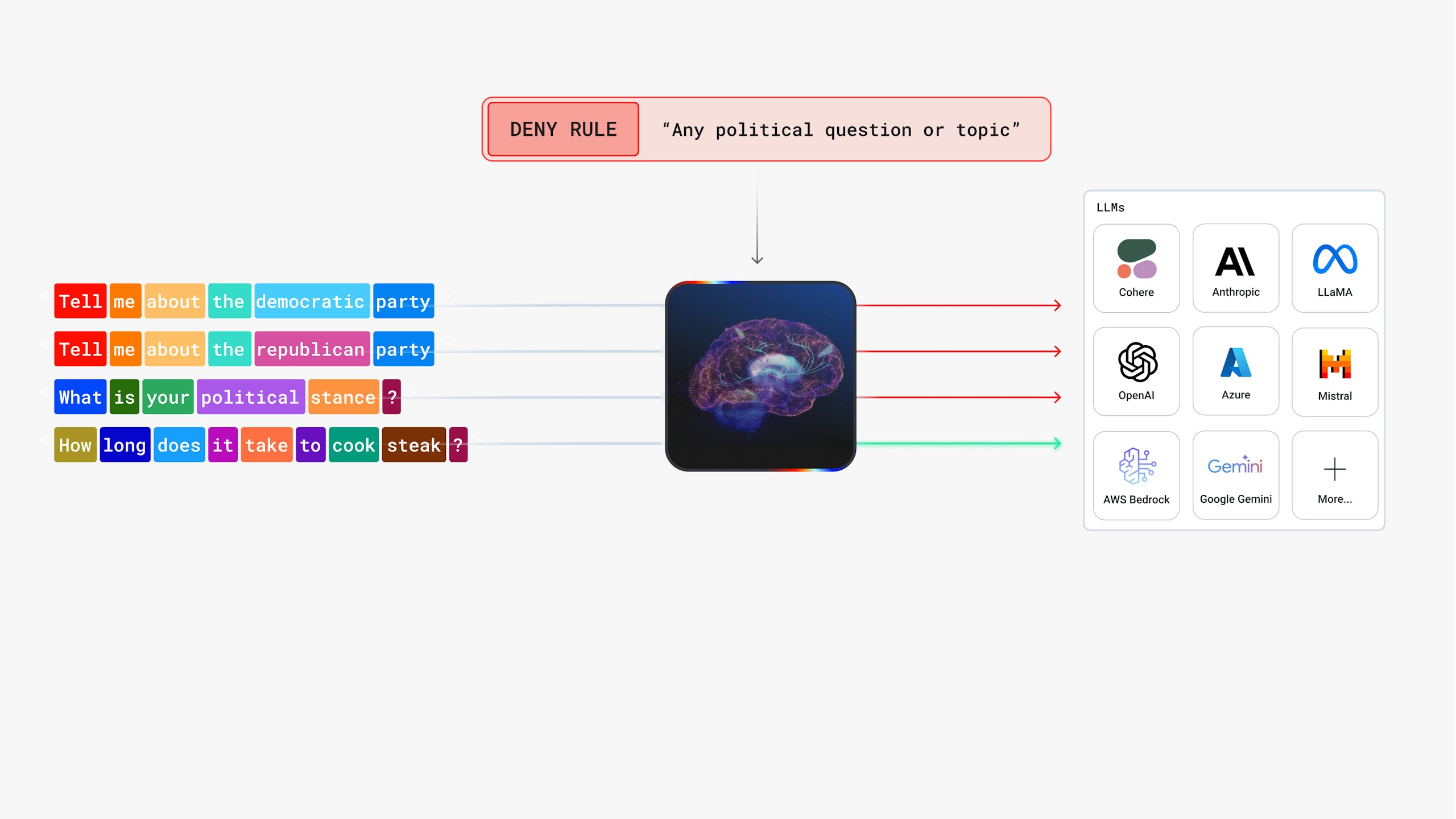
- Habilitar el plugin ai-semantic-prompt-guard para el servicio creado anteriormente:
echo ' _format_version: "3.0" plugins: - name: ai-semantic-prompt-guard service: '$SERVICE_ID' config: embeddings: auth: header_name: Authorization header_value: Bearer '$OPENAI_API_KEY' model: name: text-embedding-3-small provider: openai search: threshold: 0.7 vectordb: strategy: redis distance_metric: cosine threshold: 0.5 dimensions: 1024 redis: host: '$DECK_REDIS_HOST' port: 6379 rules: match_all_conversation_history: true allow_prompts: - Network troubleshooting and diagnostics - Cloud infrastructure management (AWS, Azure, GCP) - Cybersecurity best practices and incident response - DevOps workflows and automation - Programming concepts and language usage - IT policy and compliance guidance - Software development lifecycle and CI/CD - Documentation writing and technical explanation - System administration and configuration - Productivity and collaboration tools usage deny_prompts: - Hacking techniques or penetration testing without authorization - Bypassing software licensing or digital rights management - Instructions on exploiting vulnerabilities or writing malware - Circumventing security controls or access restrictions - Gathering personal or confidential employee information - Using AI to impersonate or phish others - Social engineering tactics or manipulation techniques - Guidance on violating company IT policies - Content unrelated to work, such as entertainment or dating - Political, religious, or sensitive non-work-related discussions ' | deck gateway apply - - Realizar la prueba de bloqueo, es decir que NO se permite el siguiente PROMT:
curl -X POST http://$KONG_GATEWAY_SERVER:30080/ai_promt_guard \ -H "Content-Type: application/json" \ -d '{ "messages": [ { "role": "user", "content": "Who should I vote for in the next election?" } ] }' - Realizar la prueba de funcionamiento de forma correcta, es decir que se permite el siguiente PROMT:
curl -X POST http://$KONG_GATEWAY_SERVER:30080/ai_promt_guard \
  -H "Content-Type: application/json" \
  -d '{
    "messages": [
      { "role": "user", "content": "What are the best tools for DevOps?" }
    ]
  }'